Imagine waking up to find your social media hacked, your emails breached, or worse—your bank account drained. It’s a nightmare, but it’s also a growing reality for millions. The truth is, hackers don’t always use brute force. Many rely on stealth, trickery, and gaps in everyday digital habits. You might think you’re too small to be a target, but cybercriminals count on that mindset.
Your Data Is More Vulnerable Than You Think
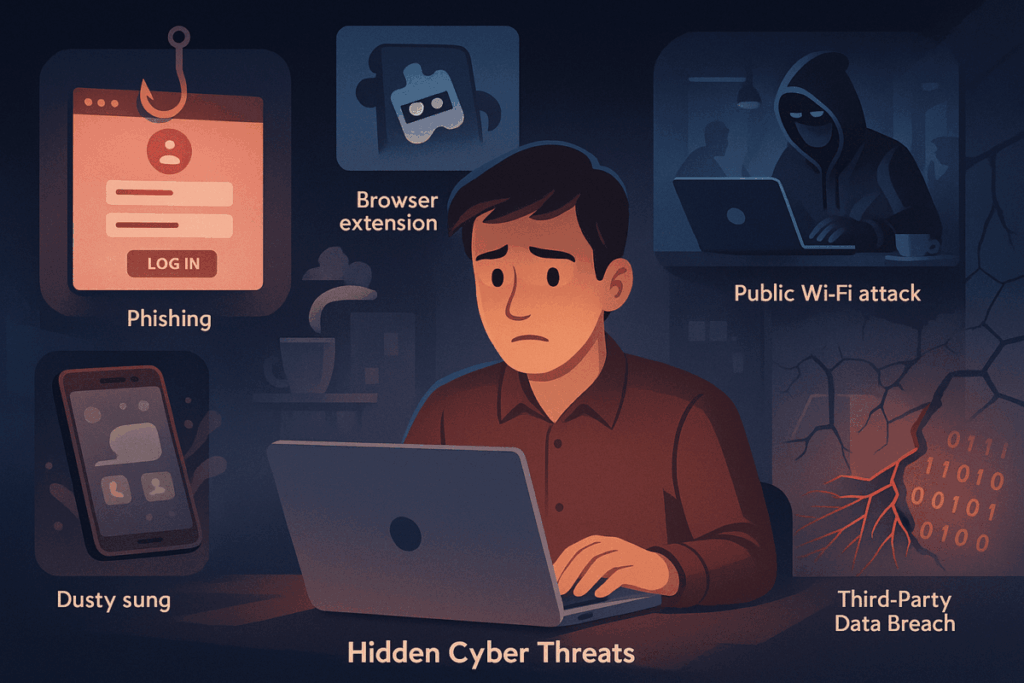
This article will reveal five hidden ways hackers steal your data—and how to protect yourself before it’s too late.
1. Phishing That Looks Legit—But Isn’t
What It Is
Phishing isn’t just about shady emails with bad grammar anymore. Modern phishing attacks can mimic legitimate brands almost perfectly—down to the logo, layout, and even the sender address.
Real-World Example
In 2023, a fake Microsoft email asked users to reset their password. It looked so real that over 10,000 users clicked the link—handing over their login details on a silver platter.
How to Outsmart It
- Double-check the sender’s email domain. A minor misspelling like “micr0soft.com” is a red flag.
- Never click links in unsolicited emails. Go directly to the website instead.
- Use email filters and browser phishing protection.
2. Malicious Browser Extensions You Forgot You Installed
What It Is
That free coupon extension or productivity tool? It might be silently harvesting your browsing history, keystrokes, or even login credentials.
How It Works
Malicious extensions often disguise themselves as harmless add-ons. Once installed, they can monitor every site you visit, inject tracking scripts, and send your data back to a remote server.
How to Outsmart It
- Review your browser extensions regularly. If you don’t remember installing it, remove it.
- Install only from trusted sources like the official Chrome Web Store or Mozilla Add-ons.
- Limit permissions. Don’t grant access to “read and change all your data” unless absolutely necessary.
3. Public Wi-Fi Traps That Spy on Your Traffic
What It Is
Free Wi-Fi at coffee shops, airports, or malls can be a goldmine for hackers using man-in-the-middle (MITM) attacks to intercept your online activity.
The Risk
They can view everything you’re doing online—especially if the website you’re visiting doesn’t use HTTPS encryption.
How to Outsmart It
- Avoid logging into sensitive accounts on public Wi-Fi.
- Use a VPN (Virtual Private Network) to encrypt your data, even on unsecured networks.
- Turn off file sharing and auto-connect features on your devices.
4. Old Devices and Forgotten Accounts You’ve Abandoned
What It Is
That old tablet in your drawer or the email you haven’t used since high school? They might still contain sensitive info or be linked to services you use today.
The Problem
Hackers love scavenging these accounts. They might reset passwords, access personal details, or use them to bypass two-factor authentication.
How to Outsmart It
- Delete unused accounts. Use tools like JustDelete.me to find links to removal pages.
- Wipe old devices before donating, selling, or discarding.
- Keep a password manager to track your active accounts securely.
5. Data Leaks from Third-Party Services You Trusted
What It Is
You may follow best practices, but if a service you use suffers a data breach, your personal info could still end up on the dark web.
Case in Point
In 2022, over 530 million Facebook users had personal data leaked—including names, emails, phone numbers, and locations—due to a third-party API vulnerability.
How to Outsmart It
- Use unique passwords for each service. If one account gets compromised, the damage is limited.
- Enable two-factor authentication (2FA) everywhere possible.
- Monitor your email with services like HaveIBeenPwned.com to check if your info has been exposed in a breach.
Conclusion: Stay One Step Ahead of Cybercriminals
Cyber threats are evolving every day, and hackers are getting smarter—not just louder. It’s not just about protecting your bank account or email; it’s about guarding your identity, your habits, and your peace of mind. The good news? With a few proactive habits, you can seriously reduce your risk.
Ready to take control? Start by reviewing your browser extensions, updating your passwords, and avoiding risky networks. Small changes today can prevent massive headaches tomorrow.

Penulis di Ascendory yang fokus membantu pembaca naik level lewat teknologi,
pengembangan diri, dan strategi bisnis online yang praktis. Suka eksplorasi tools
produktivitas, tren digital, dan cara menyeimbangkan hidup biar tetap waras meski
sibuk. Percaya bahwa kemajuan kecil yang konsisten lebih ampuh dari semangat
sehari yang langsung padam.